A passport photo tool that crops and checks — and never retouches your face
Crop to any of 82 official passport and visa formats, get a plain-English report on whether the photo would pass, and build a print sheet at true physical size. It all runs in this tab.
- Head height measured in millimetres against the authority's own range
- Print sheets that carry their real DPI, so a 2 × 2 photo prints 2 × 2
- No account, no credits, no watermark, no limit
- Tells you when the country you picked rejects edited photos — 6 of them do
Open a photo
It stays on this device. Nothing is uploaded, and there is no account, watermark or limit.
JPEG, PNG, WebP or HEIC. Drag a file here if you prefer.
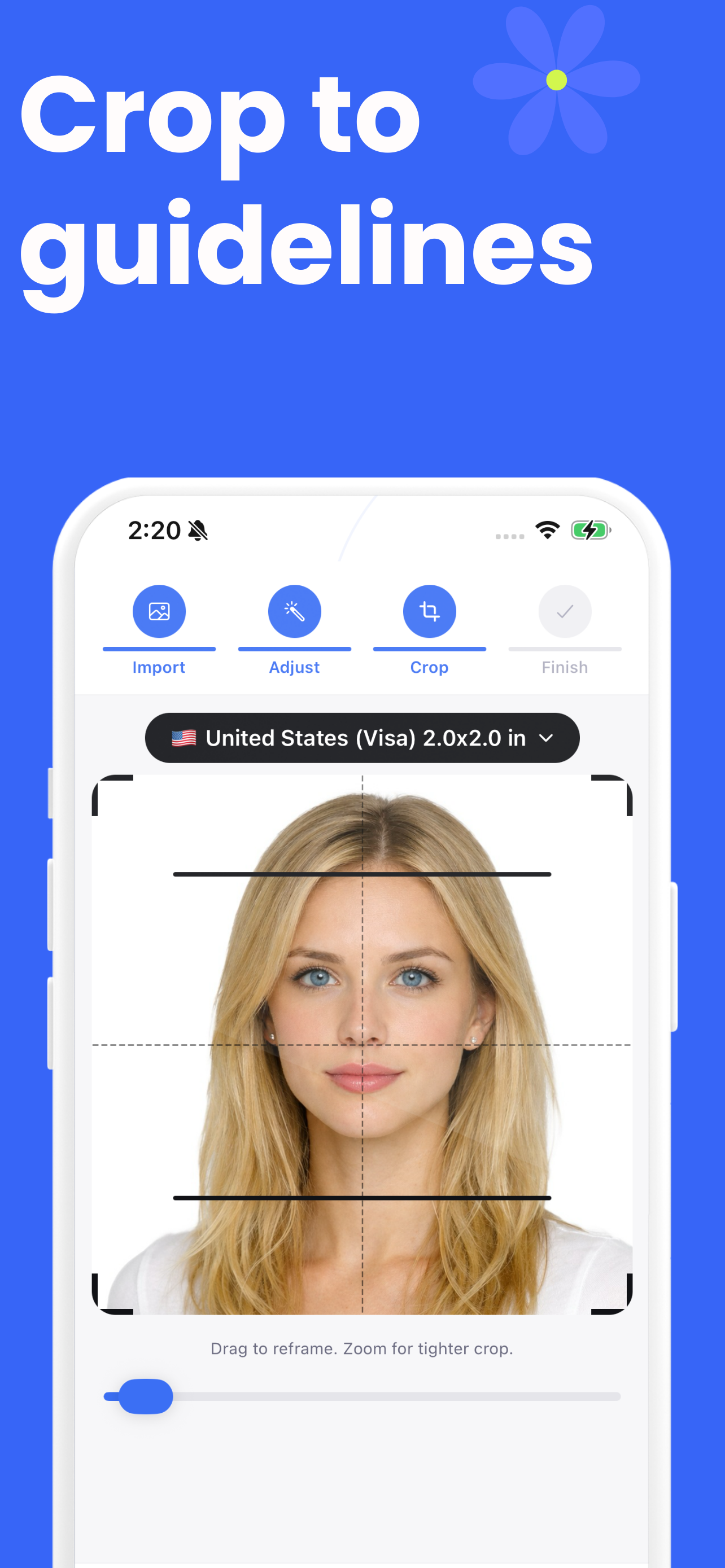
Drag the blue line to the top of your hair, the red line to the bottom of your chin, and the green line to the centre of your face. The crop follows.
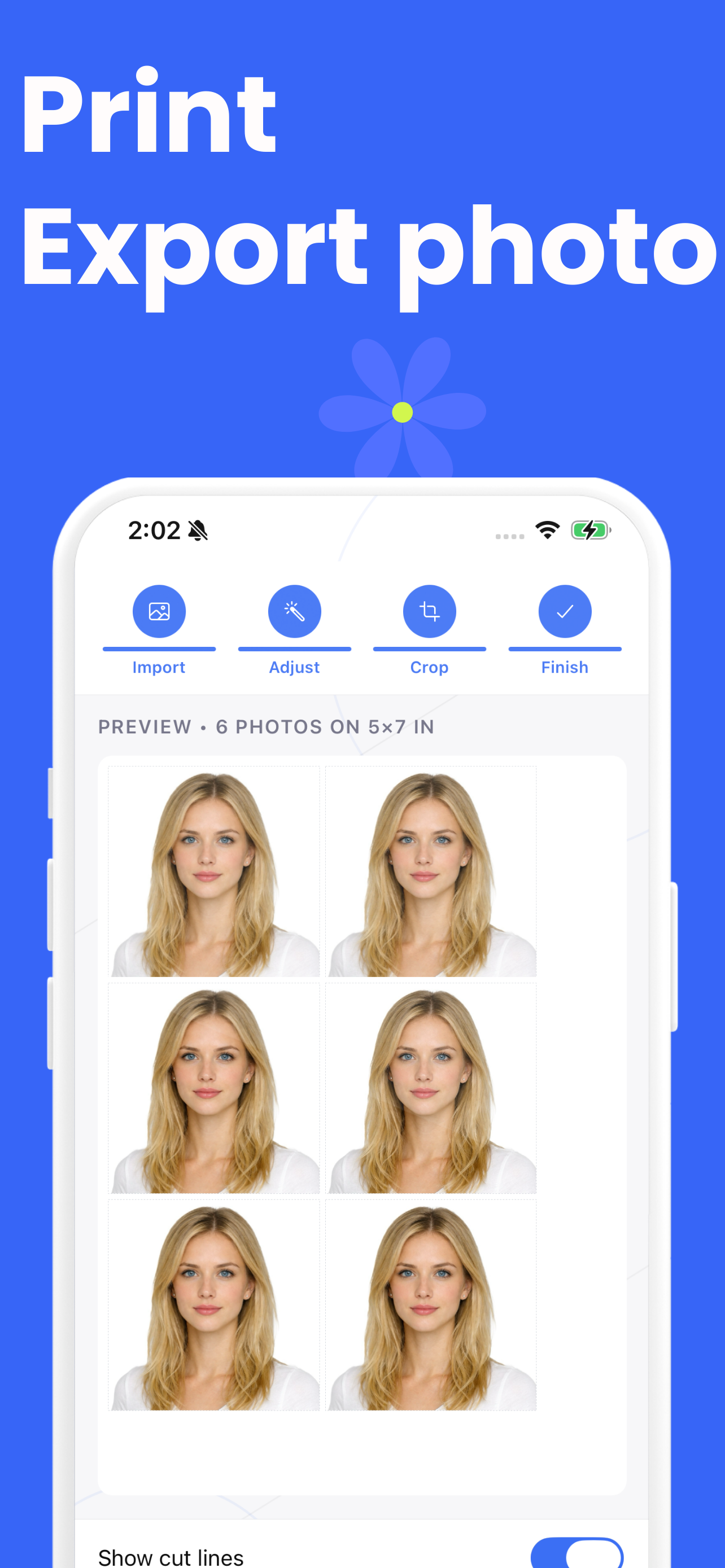
Every file carries its real print size, so a photo lab lays it out at the right dimensions instead of guessing 72 DPI.
Most of this category sells you the thing that gets photos rejected
Look at what the popular tools lead with: AI background removal, AI enhancement, one-click retouching. Then look at what the authorities say.
Four of them reject altered photos outright
HM Passport Office wants a photo "unaltered by computer software". Canada's list of forbidden changes explicitly names brightness, contrast, cropping around the head, background replacement and AI tools. Mexico does not accept retouched photographs. The US State Department says it checks photos for AI use.
It crops, measures, and stops there
Cropping and resizing are what every authority asks for. Background replacement exists here too, but it is off by default and, for the documents above, the page tells you not to use it. That makes the tool look less capable in a feature list. It also makes it correct.
How it works
Four steps, none of which involve a server.
Open a photo
From your files or straight from the camera. It is decoded in the browser; nothing is sent anywhere.
The face is found and measured
A landmark model locates your chin and eyes, and a segmentation model finds the true top of your hair — the point every passport rule measures to and most tools estimate.
The crop is solved, not guessed
The head height sets the scale and the eye line sets the position, so the result lands inside the published range rather than near it. Every measurement is shown in millimetres.
Download the photo or the sheet
With the real DPI written into the file, so it prints at the size it claims.
Landmark models stop at the forehead
Face-mesh models give you 478 points and not one of them is the top of your hair. Passport authorities measure chin to crown, hair included. Tools that only use landmarks have to guess that distance, and the guess is where the head-height failures come from.
This one reads the top of your head off the person-segmentation mask instead, and when it cannot, it says the crown was estimated and asks you to check the marker.
Every size, sourced where we could read the source
82 formats. 13 of them checked against the issuing authority's own page, with the URL on the country page. The rest carry the widely-used ICAO figures for their format and say so — we would rather label an assumption than dress it up.
The tools
Check a passport photo before you submit it
Get a plain-English report on a photo: head size in millimetres, eye line, sharpness, lighting, background and resolutio…
us passport photoUS passport photo, 2 × 2 inches
Make a 2 × 2 inch US passport photo in your browser. Head 25–35 mm, eyes 28–35 mm from the bottom, checked against the S…
4x6 passport photo templatePut your passport photos on a 4 × 6 sheet
Lay your passport photo on a 4 × 6 sheet at true physical size, with cut lines and the right DPI inside the file. Print …
uk passport photo sizeUK passport photo, 35 × 45 mm
The UK photo is 45 × 35 mm with the head 29–34 mm chin to crown, on cream or light grey — not white. Crop and check your…
canada passport photo sizeCanada passport photo, 50 × 70 mm
Canada's photo is 50 × 70 mm with the face only 44–51% of the height, half what Europe asks. Crop to it here, and see wh…
schengen visa photo sizeSchengen visa photo, 35 × 45 mm
Consulates ask for 35 × 45 mm with the face at 70–80%. The EU Visa Handbook states no size at all — it defers to ICAO. H…
ds-160 photo requirementsDS-160 visa photo, made to the upload's own limits
The US visa upload is stricter than the print: square, 600 × 600 px minimum, 1200 × 1200 maximum, in colour, head at 50–…
passport photo backgroundThe background rules, country by country
White is not the universal answer. France forbids it, the UK wants cream or light grey, and four authorities reject soft…
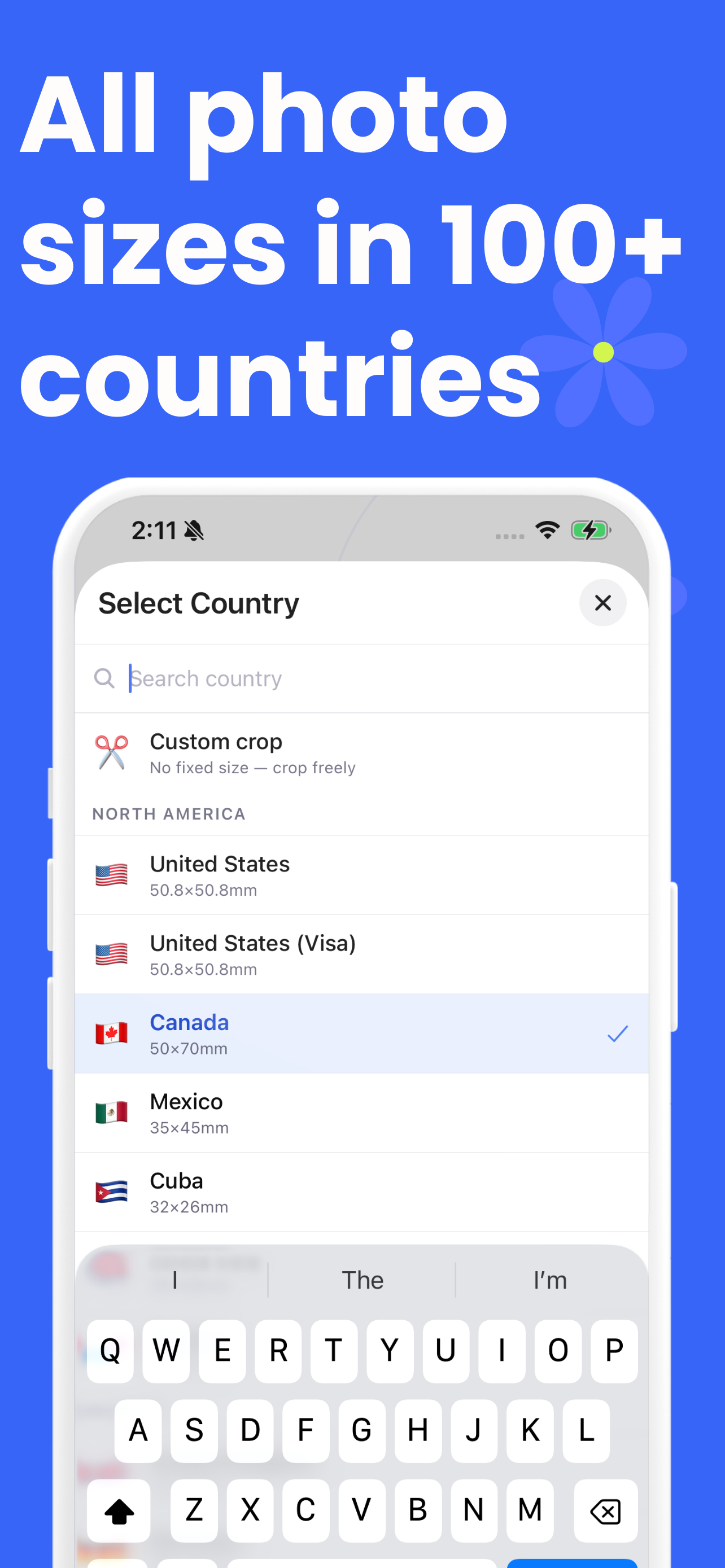
The app on your phone
The same workflow, native, with the phone's camera and an on-device background tool.
Guides
Written for the moment you are actually in — phone in hand, form open, or a rejection letter on the table.
Why you should not let software retouch your passport photo
They have just used a tool that replaced their background with white, and something they half-read has made them wonder whether that will get the application rejected.
What a passport photo actually costs
They are about to pay a counter price and want to know whether it is the going rate or whether they are being had.
Printing passport photos on a 4 × 6 sheet
They have a photo and want six of them on paper without paying counter prices, and every guide they have found skips the step where the print comes out the wrong size.
Why passport photos get rejected
Their application came back, or they are about to send one and want to know what they are risking.
Passport photo sizes, and why the head height matters more
They have been given a size in millimetres or inches and want to know what it means for the photo they are about to take.
Can you smile in a passport photo?
They are about to take the photo, phone in hand, and cannot remember whether smiling is allowed.
Wearing glasses in a passport photo
They wear glasses every day and do not know whether to take them off, or whether a photo with them will be thrown out.
How to take a passport photo with your phone
They are holding a phone in a room and want a photo that will not be rejected, without a studio.
Passport photos for babies and newborns
They are trying to photograph a baby who will not sit up, look at the camera, or keep their eyes open, and they need to know which of those actually matters.
Questions people actually ask
Short answers here, with the long version behind each link.
Is my photo uploaded anywhere?
No. The cropping, the face detection and the background work all run in this browser tab, on your own device. You can check that yourself: open the browser's developer tools, switch to the Network panel and make a photo — nothing is sent. Or turn off your internet connection after the page has loaded and make one anyway. It still works.
Learn more: Where does your photo actually go? →Can I edit or retouch a passport photo?
Cropping and resizing are expected — every authority asks for a specific size. Retouching is a different thing. The United States, Canada, the United Kingdom and Mexico all state that they reject photos altered with software, and the State Department says it checks. That is why this tool leaves the background alone by default for those documents and tells you when the country you have chosen is one of them.
Learn more: Why you should not let software retouch your passport photo →How much does a passport photo cost, and can I do it cheaper?
The counter at a US drugstore is around $17 for two photos. A plain 4 × 6 photo print from the same shop is a few tens of cents, and six US passport photos fit on one. Making the file here is free, so the whole job comes down to the price of a single ordinary print.
Learn more: What a passport photo actually costs →How do I print passport photos at home or at a drugstore?
Build the print sheet here, which lays your photo out at its true physical size and writes the DPI into the file, then either print it at home at 100% scale or upload it as an ordinary 4 × 6 photo print. The two things that go wrong are "fit to page", which quietly resizes everything, and borderless printing, which trims the edges.
Learn more: Printing passport photos on a 4 × 6 sheet →What size is a passport photo?
There is no single answer. Most of the world uses 35 × 45 mm; the United States and a few others use 2 × 2 inches; Canada uses 50 × 70 mm. The size on the paper matters less than the head height inside it, which is the measurement most rejected photos get wrong.
Learn more: Passport photo sizes, and why the head height matters more →Can I smile in a passport photo?
In the United States, yes — a natural smile with your mouth closed is fine. Almost everywhere else the answer is no: the UK, Canada, France, Germany, the Netherlands and the Schengen visa standard all ask for a neutral expression with the mouth closed.
Learn more: Can you smile in a passport photo? →Can I wear glasses in a passport photo?
Not for a US passport or visa — glasses have not been accepted since 2016. The UK, Ireland, Canada, Italy and most of Europe do allow them, as long as there is no glare, the lenses are clear and the frames do not cover your eyes. Where there is any doubt, taking them off is never wrong.
Learn more: Wearing glasses in a passport photo →Why do passport photos get rejected?
Framing first — the head being the wrong size in the frame is the most common single cause. Then shadows, on the face or behind the head; then a background that is not plain; then softness, expression, glasses and, increasingly, evidence that the photo was edited.
Learn more: Why passport photos get rejected →How do I take a passport photo with my phone?
Stand about a metre and a half from the camera and have someone else take it, or use the rear camera on a timer. Face a window. Turn off portrait mode and any beauty filter, because both alter the image. Then crop it here rather than in the phone's own editor.
Learn more: How to take a passport photo with your phone →How do I take a baby's passport photo?
Lay the baby on a plain white sheet and photograph from directly above. Most authorities relax their rules for infants: the UK does not require under-ones to have their eyes open, or under-sixes to look at the camera. What no authority relaxes is that nobody else may appear in the photo, including a supporting hand.
Learn more: Passport photos for babies and newborns →What background colour does my country want?
White is not the universal answer. France forbids a white background outright and wants light grey or light blue. The UK asks for cream or light grey. The Netherlands accepts grey, light blue or white. The tool shows the required colour for whichever document you pick.
Learn more: What colour should a passport photo background be? →How many pixels should a passport photo be?
For a print, pixels are the wrong unit — what matters is the physical size and having enough resolution behind it, which usually means 300 DPI or better. For an upload, the portal sets the numbers: the US DS-160 wants a square image between 600 × 600 and 1200 × 1200 px, and the UK wants at least 600 × 750.
Learn more: Passport photo pixels, DPI and print size →Does the head size really have to be exact?
It has to be inside a stated range, and the ranges differ more than people expect: 25–35 mm in the United States, 29–34 mm in the UK, 26–30 mm in the Netherlands. This tool measures your head from the crown marker to the chin marker and reports the result in millimetres against the range.
Learn more: Passport photo head size, explained →Can I wear a head covering or hijab?
Yes, where it is worn for religious or medical reasons — that exception exists in every authority covered here. Your face must be visible from the bottom of the chin to the forehead, with both edges of the face clear and no shadows. Coverings worn for any other reason are not allowed.
Learn more: Head coverings in passport photos →Is this tool free, and what does the app cost?
The website is free with no account, no watermark and no limit on how many photos you make. The iOS app is free to download and gives you one free export, then asks for its Pro subscription. They are the same idea, but the unlimited one is the one you are on.
Will you guarantee my photo is accepted?
No, and be careful of anyone who does. The office you apply to makes that decision, sometimes with automated checks and sometimes with a person. What this tool can do is measure your photo against the published rules and tell you, in millimetres, where it stands.